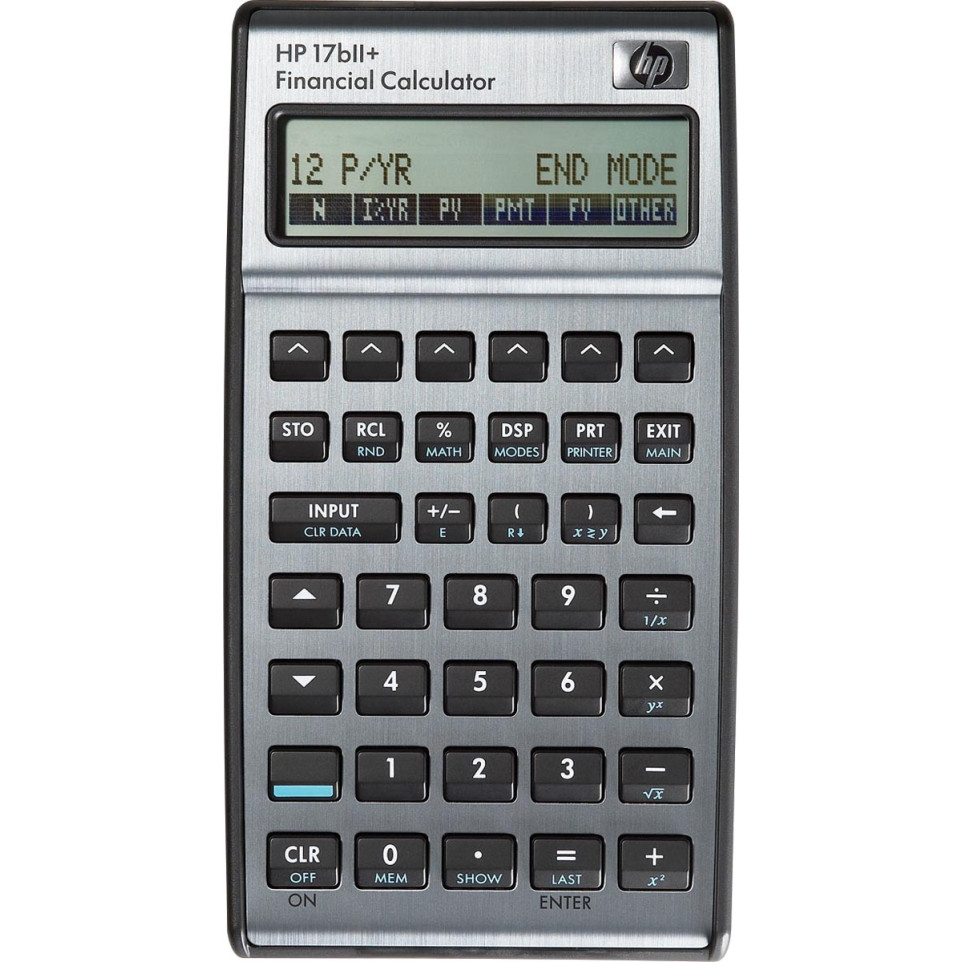
Usage
The HP 17BII+ financial calculator is designed for professionals and students in finance, accounting, real estate, and business. It efficiently performs complex financial analyses, such as loan calculations, cash flow analysis, and statistical evaluations.
Advantages
- Offers both Algebraic and RPN data entry modes to suit different user preferences.
- Includes over 250 built-in functions covering TVM (Time Value of Money), IRR, NPV, bonds, amortization tables, depreciation methods, statistics and more.
- Features a robust menu-driven interface with prompts that guide users through calculations with minimal learning curve.
- Equipped with a high-contrast two-line LCD (22 characters per line) for clear result visibility.
- Lacks advanced trigonometric functions but focuses on comprehensive financial operations relevant to its target audience.
Specifications
- Design & Materials: Compact body measuring approximately 145 x 81 x 16 mm; weighs about 3.89 oz; comes in silver-black finish with plastic keys; includes protective pouch.
Display: Two-line LCD display (22 digits per line), adjustable contrast.
Entry System: Algebraic or Reverse Polish Notation (RPN).
- Sustainability & Standards:Batteries last up to one year under typical use; continuous memory preserves data when powered down; auto power-off after inactivity conserves energy.[3][4][6]
- Measurable Performance:User memory of up to 28 KB allows custom equations and data storage;
Handles over
250 pre-set financial/statistical functions;
Performs cash flow analysis for more than
600 entries;
Delivers internal calculation accuracy to
15 digits[3][4].
- Differentiating Features:User-programmable equation solver ("HP Solve") for customized problems;
Supports clock/calendar/appointment/alarm management;
Handles currency exchange calculations,
date arithmetic,
bond price/yield evaluation,
and statistical regressions.
Compatible with infrared printing (hp82240 printer).[4][5][7]
How it works
The HP17BII+ guides the user via contextual menus through each calculation step. Choose the desired function—such as loan payment or bond yield—enter known values using customizable entry logic (algebraic or RPN), then compute results instantly displayed on the dual-line screen.[1][4]